This resource is designed to help you create inclusive and accessible content for your county center’s site, ensuring all community members can access and engage with the information you provide. This guide will cover best practices, tips, and techniques for making your web posts accessible.
Why Accessibility Matters
Creating accessible content ensures that everyone, including people with disabilities, can fully participate in the information and services offered by your county center. Accessibility is not just a legal requirement; it's also a way to demonstrate inclusivity and respect for all members of the community.Best Practices for Accessible Content
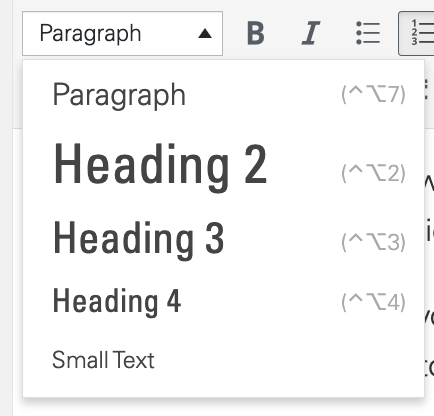
- Use Descriptive Headings Ensure your headings are descriptive and accurately reflect the content that follows. Headings should be organized hierarchically (e.g., H2 for section titles, H3 for sub-sections) to help users navigate your content easily.
- Add Alt Text to Images Alt text should describe the content and function of images on your site. This is crucial for users who rely on screen readers. Be specific and concise in your descriptions.
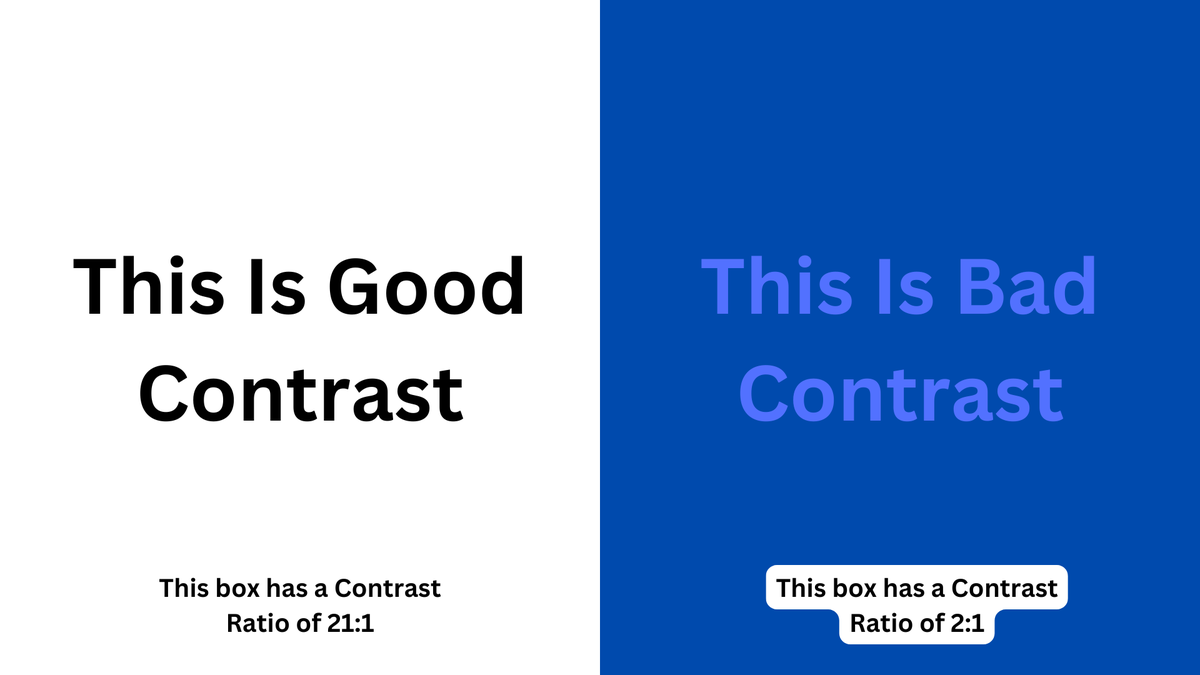
- Ensure Text Contrast Text should have a strong contrast with its background to be easily readable. This is especially important for users with visual impairments.
- Use Simple and Clear Language Write in plain language that is easy to understand. Avoid jargon, and explain any necessary technical terms. This helps make your content accessible to everyone, regardless of their reading level or familiarity with the subject.
- Provide Captions for Videos Videos should include captions to ensure that users who are deaf or hard of hearing can access the information. Captions also benefit users in noisy environments or those who prefer to read content.
By following these guidelines, you can help ensure that your web posts are accessible to a broader audience, making your county center's information more inclusive and engaging for everyone.
Explore Creating Accessible Content
Graphics
Creating Accessible Content - Text Heavy Images