Google Drive can be used to create Google Slide presentations. These slides can be shared in Zoom.
- Go to Google Drive and load your presentation
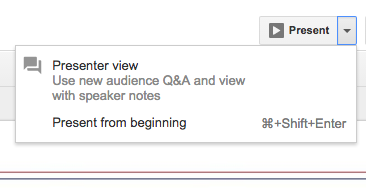
- Click down arrow next to Present in the upper right and select Presenter View with Q&A Presenter view dropdown.
- Then, from within Zoom, select Share Screen and pick the web browser hosting your presentation.
- Exit screen sharing when you are done.
For more information about sharing your screen in Zoom, see Sharing your screen.