People often record Zoom sessions for future reference or to share with individuals who cannot attend the event as it happens. If you record your Zoom session to the Cloud, you can share the recording's URL as needed.
Sharing Your Zoom Recording
(Updated: May 11, 2022, 9:05 a.m.)
- Sign in to your Zoom web portal.
- In the navigation menu, click Recordings. You will see a list of cloud recordings that you started and have finished processing.
- Locate the recording you wish to share and click Share in the right column.
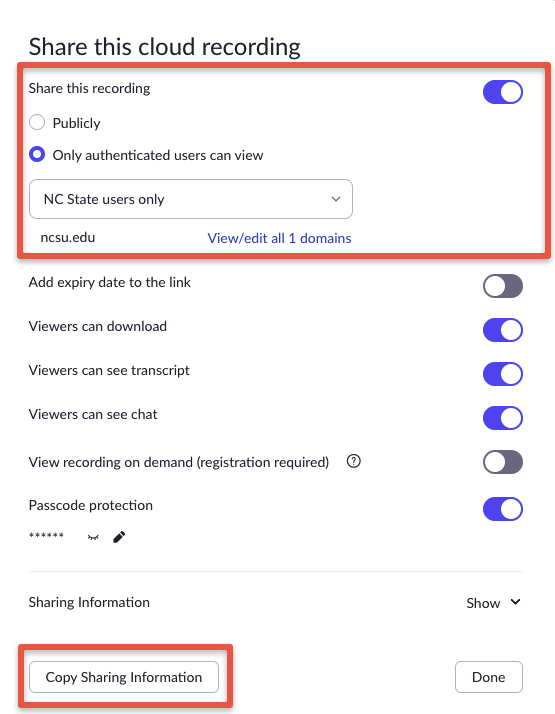
- In the Share this cloud recording pop-up window, adjust your sharing settings as desired. Be sure to select "Share this recording Publicly" to share it outside of the ncsu.edu domain.
- Click Copy Sharing Information, then navigate to your email or where you need to share the cloud recording, to paste the sharing information.