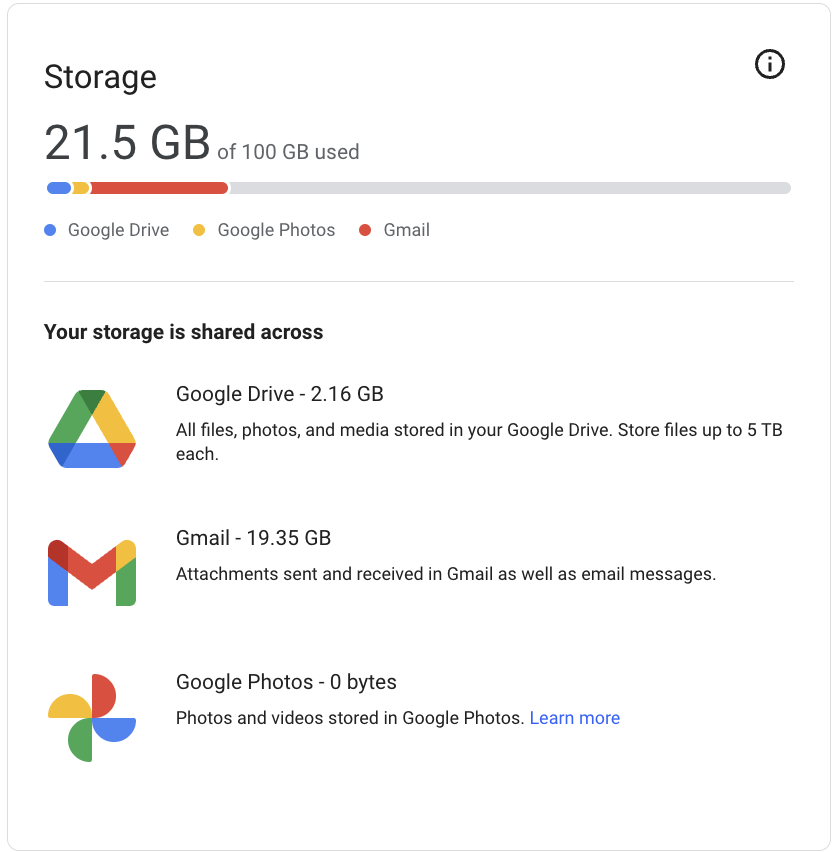
OIT will enforce user Google storage limits in April 2025. Over quota employees must take steps now to reduce their Google Workspace storage consumption. Refer to
OIT’s knowledge article for more details.
What Is Your Quota?
- 100 GB - County Extension Employees and Extension Only County Collaborators
- 15 GB - Extension Only A&T Collaborators
- 15 GB - Unpaid Retirees
Best Practices for All Employees
Now that we know when quotas will be enforced, we all need to use our allotted space responsibly. NC State Google Workspace should not be used for personal data. Any personal data (emails, files stored in Drive, photos, and videos) stored within your NC State Google account should be either deleted or transferred to a personal storage option.
Review content and file sizes in your NC State Google account
- Visit https://drive.google.com/settings/storage to see your overall storage use.
- If you are over quota, the tool helps by illustrating which services are consuming the most amount of storage in your account.
Remediation Steps for Employees Over Quota
Extension employees whose Google storage is over quota or near the quota limit, need to act now. Please check out the information and resources below to help you check and remediate your storage overage.
If you have any questions, please reach out to eithelpdesk@ncsu.edu. There are various options for cloud-based storage, specifically for personal photos. There are also many options for physical external storage. EIT has compiled a list of a few available options for both types of storage. These lists are by no means exhaustive, nor are they options that are supported by EIT.