We have recently received emails expressing concerns about sender details within ActiveCampaign. When receiving a campaign, it appears recipients sent the campaign to themselves, which has created security concerns from recipients. After some exploration, we have discovered the issue stems from putting personalization into sender details of the campaign.
ActiveCampaign Sender Details
(Updated: March 20, 2024, 9:08 a.m.)
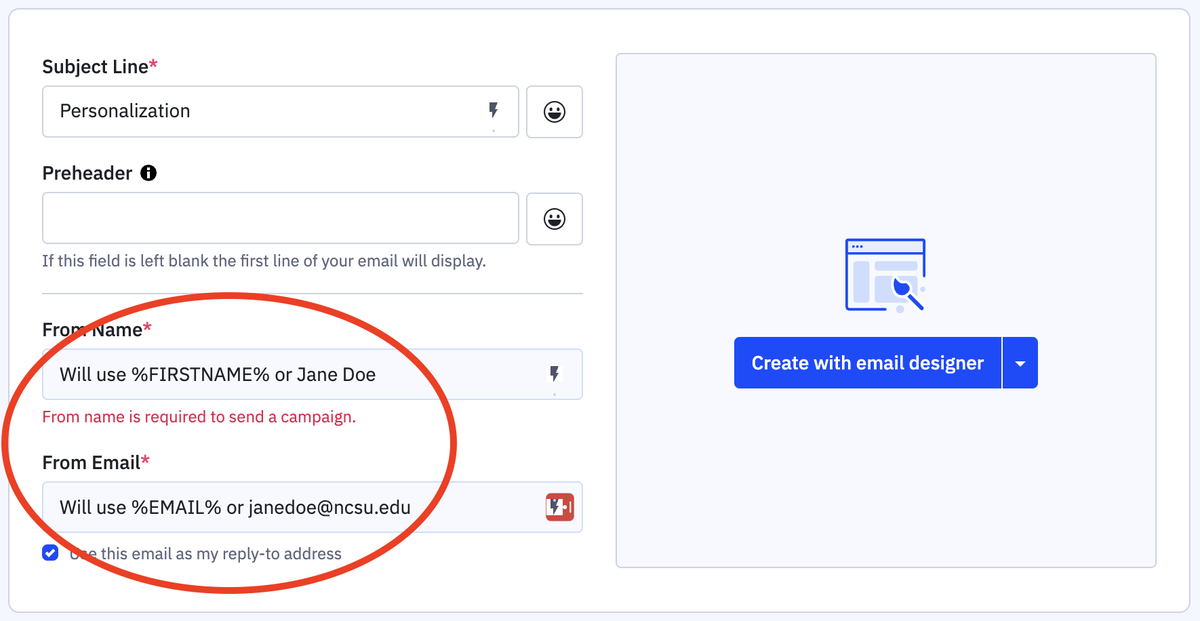
Adding personalization as demonstrated above will make the campaign appear that it is being sent by the intended recipient. If the contact doesn't have a first name in their contact record, it will use the name put in the "From Name" box.
In order to prevent confusion from intended recipient, it's best to not use personalization features in the Sender Details section of the campaign flow. Instead, put the name and email of the employee the campaign should be sent by.
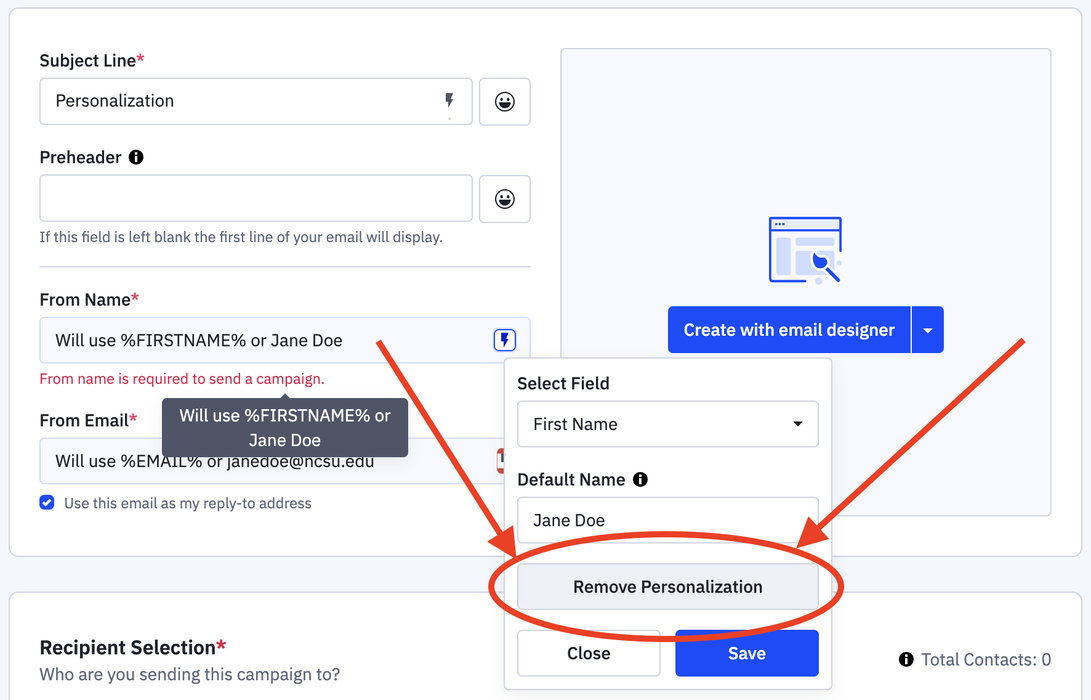
If you notice personalization in Sender Details, you can remove it by clicking the lightning bolt in the field, and selecting "Remove Personalization."
If you have further questions, please contact the EIT Help Desk (eithelpdesk@ncsu.edu).