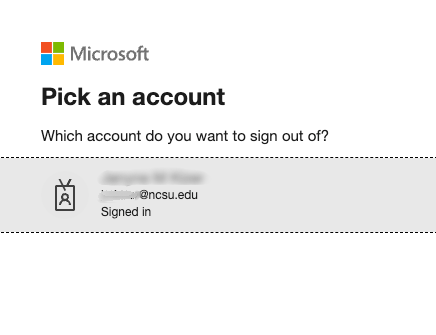
Upcoming Changes to Your Login Experience

— Written By
en Español / em Português
Español

El inglés es el idioma de control de esta página. En la medida en que haya algún conflicto entre la traducción al inglés y la traducción, el inglés prevalece.

Al hacer clic en el enlace de traducción se activa un servicio de traducción gratuito para convertir la página al español. Al igual que con cualquier traducción por Internet, la conversión no es sensible al contexto y puede que no traduzca el texto en su significado original. NC State Extension no garantiza la exactitud del texto traducido. Por favor, tenga en cuenta que algunas aplicaciones y/o servicios pueden no funcionar como se espera cuando se traducen.


Português

Inglês é o idioma de controle desta página. Na medida que haja algum conflito entre o texto original em Inglês e a tradução, o Inglês prevalece.

Ao clicar no link de tradução, um serviço gratuito de tradução será ativado para converter a página para o Português. Como em qualquer tradução pela internet, a conversão não é sensivel ao contexto e pode não ocorrer a tradução para o significado orginal. O serviço de Extensão da Carolina do Norte (NC State Extension) não garante a exatidão do texto traduzido. Por favor, observe que algumas funções ou serviços podem não funcionar como esperado após a tradução.


English

English is the controlling language of this page. To the extent there is any conflict between the English text and the translation, English controls.

Clicking on the translation link activates a free translation service to convert the page to Spanish. As with any Internet translation, the conversion is not context-sensitive and may not translate the text to its original meaning. NC State Extension does not guarantee the accuracy of the translated text. Please note that some applications and/or services may not function as expected when translated.

Collapse ▲

NC State Extension is transitioning its single sign-on (SSO) service from Shibboleth to Microsoft Entra. This update is part of a university-wide initiative to streamline digital access across our web ecosystem.

What is Changing?

The transition to Microsoft Entra is occurring on an application-by-application basis. Canva and Go Links are among the first applications to move to this new login solution.

While the login screen looks different, you will continue to use your existing Unity credentials. However, there is one key difference in the login flow: you must now enter your full NC State email address (e.g., unityid@ncsu.edu) instead of just your Unity ID. No other action is required on your part to maintain access.

Below are examples of log in screens that you may see.
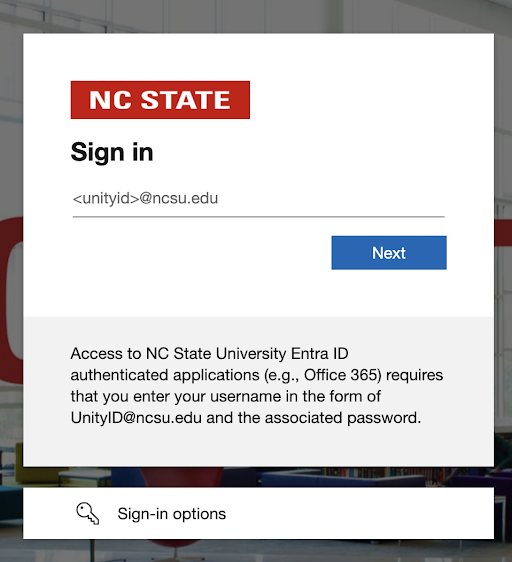
Example NC State branded Entra log in screen
Example Entra login screen

Example Microsoft Entra login screen that you may see when logging into campus services

Duo Multifactor Authentication (MFA)

Security remains a top priority during this transition. It is important to note that Duo Security will continue to be used for multifactor authentication. When you log in via the new Entra screen, you will still be prompted to verify your identity through Duo as you always have. We continue to recommend the Duo Mobile App as the most reliable and user-friendly method for these prompts.

For more technical details on this university transition, you can review these NC State resources:

Written By

Janyne Kizer, N.C. Cooperative ExtensionJanyne KizerTechnology Support Specialist Call Janyne Email Janyne Extension Information Technology
NC State Extension, NC State University
Posted on Jan 28, 2026
Was the information on this page helpful? Yes check No close
Scannable QR Code to Access Electronic Version