Make Sure to Schedule To Publish

(Updated: May 21, 2026, 10:04 a.m.)
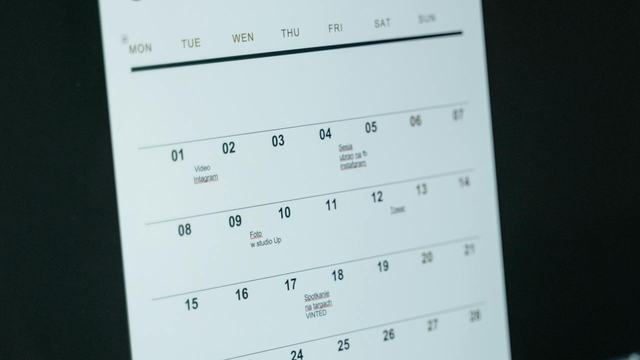
A document that lays out the content schedule of a social media manager.

We are now two months into the Wagtail era. Along with the shiny new features, we’ve discovered plenty of "creative" new ways to break things. Our standard operating procedure is simple: when someone hits a snag in support or QA, we turn that headache into a helpful training guide.

In the interest of thorough research, I decided to provide the team with some fresh material this week by getting thoroughly stuck on a new feature myself. You’re welcome for the learning opportunity.
A few ways to use this feature

  • Write content on Friday and Schedule it for first thing Monday morning
  • Release results of contests at preset times
  • Schedule the release of registration links for classes and camps

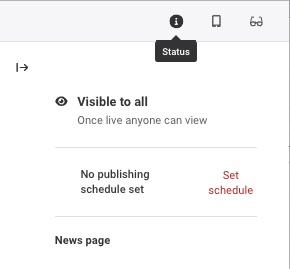
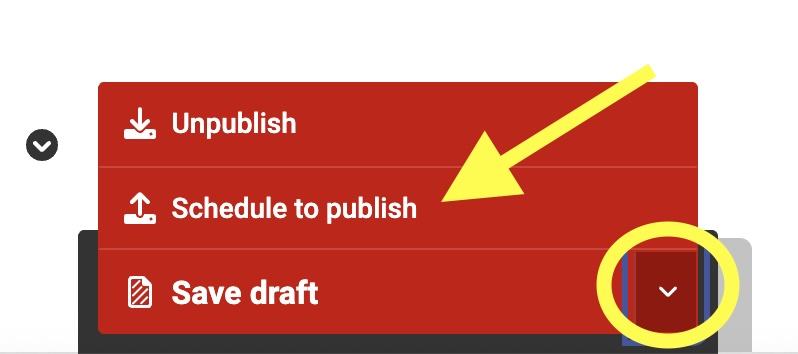
If you create a news article before you'd like to post it, you can schedule it ahead. Click on the status icon to schedule a post and enter the date you'd like it to go live. You must still publish the post. Go to the red button at the bottom of the post, click on the arrow next to "save draft," and click "Schedule to Publish."

Screenshot of the Schedule tool in Wagtail
Screenshot of publish options for a scheduled post in Wagtail