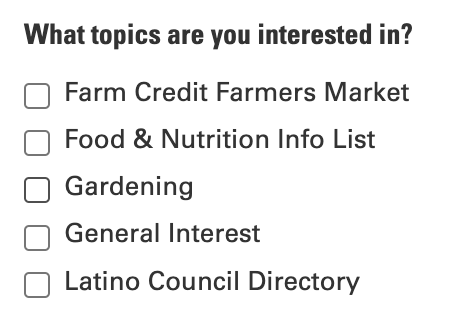
Does your Extension website offer ActiveCampaign mailing list signup forms? (If not, we recommend it! Here are the instructions.)
The process of creating a signup form lets you select up to 10 tags to define topic areas for your new subscribers.
Whether you have a sign-up form already or plan to create one soon, take a good look at the tags you want to use to define your topic offerings. Many of our ActiveCampaign tags make sense internally but they may not convey good information to the public.
Things to avoid in the tags you use:
- Years or other dates -- A tag like Livestock2024 will not look good in 2025. You'll have to remember to update the tag or remove the topic.
- Employee names
- Extension-centric acronyms -- Did you know what FCS and EMGV meant before you worked for Extension? Will your audience know what our acronyms mean?
- Other abbreviations that might not be clear to your audience
- Underscores or other punctuation
- Typos -- make sure your selected tag is descriptive and spelled correctly
- Off-brand references -- for example, use
- 4-H not 4H or 4h
- NC State not NCSU
- N.C. Cooperative Extension not NCCE
It's a good idea to review your sign up form occasionally to make sure you're offering the most current topic options. You can make those changes from the Website Sign Up form linked on our
ActiveCampaign login screen.
If you need to edit any of the tags you're using on your mailing list sign up forms, email the EIT Help Desk at eithelpdesk@ncsu.edu and we will update them for you.