High-quality images make county and topic site content engaging. However, using copyrighted images without explicit permission or proper licensing can lead to severe legal and financial consequences—potentially costing N.C. Cooperative Extension thousands of dollars in legal fees and fines.
Golden Rule of Image Rights: If you do not explicitly have permission or a verified license to use an image, do not post it.
[IMPORTANT POLICY WARNING] Using unauthorized images can result in severe legal penalties and copyright fines costing N.C. Cooperative Extension thousands of dollars. Always verify image rights before publishing.
Finding Images You Have Rights to Use
You have access to several free and paid image resources. Always verify the specific license conditions for an image before downloading and publishing it.
Extension & Institutional Libraries
Before continuing — Please note that just because a site hosted by NC State Extension has permission to post an image does not mean that you also have the right to post that image.
- NC State PhotoShelter: Free to use for official NC State and N.C. Cooperative Extension communications.
- Original Content: Photos taken by you or your staff during Extension events, demonstrations, or field work. (Ensure photo releases are obtained if identifiable individuals/minors are featured).
- Plant Toolbox: User-uploaded photos of plants.
Stock Image Libraries
- Canva Photos: Free and Pro options. Ensure you review Canva’s Content License Agreement if using pro elements.
- Adobe Stock: Offers high-quality royalty-free images (requires an account or license).
- Pexels & Unsplash: Popular repositories offering free high-resolution photos under custom royalty-free licenses that allow commercial use without required attribution (though attribution is appreciated).
Creative Commons & Public Domain Libraries
Creative Commons (CC) licenses allow creators to grant permissions for public use while maintaining control over specific terms. Common repositories include:
- Wikimedia Commons
- Flickr - This URL has been set to automatically filter to certain licenses you are allowed to use. Please make sure to double check the licensing on the photo itself.
- Openverse (formerly Creative Commons Search)
Understanding Creative Commons License Terms
Before using a CC-licensed image, check which combination of terms applies:
Creative Commons & Open Licensing
Creative Commons (CC) licenses allow creators to grant permissions for public use while maintaining control over specific terms. Always check the license conditions before downloading:
- Public Domain / CC0: Free to use without restrictions, edits, or required credit.
- Attribution (BY): You must give appropriate credit to the creator as specified in the license.
- ShareAlike (SA): Any new work created using this image must be released under the same license.
- NonCommercial (NC) [AVOID]: Restricts use for commercial purposes or fee-based Extension programs.
- NoDerivatives (ND) [AVOID]: Prohibits cropping, editing, or overlaying text/logos on the image.
| License Status | Can I Use It? | Editing / Cropping Rules | Attribution Required? |
| NC State / Extension Photos | ALLOWED | Cropping allowed | No attribution required |
| Public Domain / CC0 | ALLOWED | Cropping allowed | No attribution required |
| Pexels / Unsplash / Canva | ALLOWED | Cropping allowed | No attribution required (check Pro terms) |
| CC BY (Attribution) | ALLOWED | Cropping allowed | ATTRIBUTION REQUIRED |
| CC BY-SA (ShareAlike) | ALLOWED | Cropping allowed | ATTRIBUTION REQUIRED |
| CC BY-NC (NonCommercial) | AVOID | No commercial use | Restricted |
| CC BY-ND (NoDerivatives) | AVOID | NO cropping or edits allowed | Restricted |
| All Rights Reserved | DO NOT USE | Permission required | Restricted |
Formatting Image Attributions & Metadata
When an image requires credit, provide clear attribution directly on the post.
Proper Caption Formatting (TASL Framework)
Follow the standard TASL framework (Title, Author, Source, License) in the image Caption field:
- Title: Name of the image (if there is one, linked directly to the source page)
- Author: Name of the creator
- Source: Platform/website where it was found
- License: Specific license type (linked to the license terms)
Below are two examples of attributed images, one with a title, and one without a title.
Often, Stock Image libraries will provide the exact format they would like for attribution. You can use that instead of following the standard TASL framework.
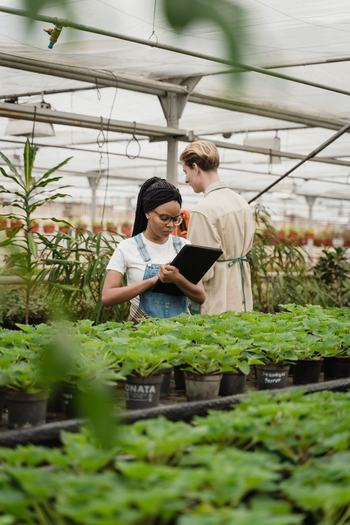
Photo by Tima Miroshnichenko from Pexels
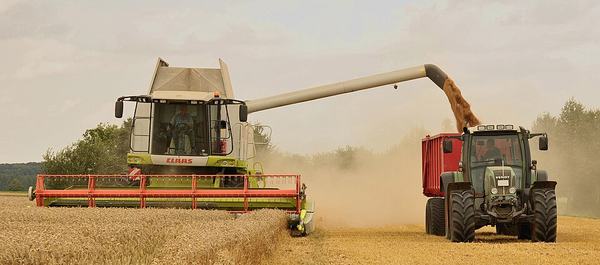
"Unload wheat by the combine Claas Lexion 584" by Michael Gäbler via Wikimedia Commons is licensed under CC BY-SA 3.0.

Documenting Source for the EIT Team
To protect the organization, always record the source URL in the site's media settings even if the image doesn't require a public caption (e.g., Unsplash, CC0, or NC State photos):
- Paste the direct link to the image source page into the image Source field in the Media Library.
- If using a personal photo, enter: "Photo taken by [Your Name/Extension Unit]".